New Shopify Features That Matter for Growing Stores
New Shopify Features That Matter for Growing Stores
Shopify's latest updates go far beyond basic AI tools. See how Sidekick, Canvas, AI shopping, Rollouts, B2B, marketing automation, and new analytics are changing how merchants run their stores.


Shopify releases new features constantly, but not every update deserves the same attention.
The changes that matter most are the ones that affect how merchants actually build, manage, market, and grow their stores.
That is where Shopify has changed significantly.
AI is moving deeper into store management. Merchants can test storefront changes without relying entirely on outside tools. Products can appear in new AI-powered shopping experiences. B2B features that once required Shopify Plus are available to more merchants. And more marketing and analytics work can happen without leaving the Shopify admin.
The result is a platform that is becoming more connected, not simply one with a longer feature list.
Sidekick Is Becoming a Store Management Tool
Shopify Magic introduced many merchants to AI-generated product descriptions and other content tools.
Sidekick goes much further.
Shopify now describes Sidekick as an AI-enabled commerce assistant that can analyze store data, manage products and orders, generate content, build apps, and complete tasks using everyday language. It can also work with supported third-party apps and present changes for approval before applying them.
That makes it useful for much more than writing copy.
A merchant could ask Sidekick to:
- Analyze sales performance
- Help identify inventory trends
- Update product information
- Build a Shopify Flow automation
- Create a custom internal app
- Make changes to a theme
- Answer questions about supported apps
- Turn recurring instructions into reusable skills
Sidekick Pulse can also proactively analyze store activity and surface recommendations rather than waiting for the merchant to ask a question. Shopify currently labels Pulse as early access for eligible merchants, so availability can vary.

Canvas Is Changing How Merchants Edit Their Storefront
One of Shopify’s newest releases is Canvas, introduced in October 2026.
Canvas is a new visual environment for creating and editing Shopify themes. Merchants can view store templates together, edit individual elements, or describe a change to Sidekick and have it modify the theme.
For example, a merchant could ask Sidekick to change the layout of a section, adjust styling, or build a new theme direction based on a description of the brand.
That can make deeper customization more accessible to businesses that do not have someone writing theme code for every small change.
But this is not a reason to stop reviewing design decisions carefully.
Shopify currently considers Canvas an early-access feature available only to certain stores, and the company specifically notes that it is not replacing the existing theme editor yet.
AI can make changes faster.
Someone still needs to make sure those changes support the brand, customer experience, accessibility, and conversion goals.
Shopify Is Preparing Stores for AI Shopping
One of the bigger shifts happening across e-commerce is that customers may not always begin shopping on a traditional website or search results page.
They can increasingly ask an AI assistant to find, compare, and recommend products.
Shopify is building infrastructure around that behavior through Shopify Catalog and the Universal Commerce Protocol.
Shopify Catalog structures product information so supported AI systems can discover and understand products, while Shopify is also developing ways for customers to move from product discovery toward checkout inside AI-powered experiences.
For merchants, this makes product data even more important.
A product listing should clearly communicate things such as:
- Product name
- Description
- Variants
- Price
- Availability
- Images
- Materials
- Sizes
- Colors
- Features
- Shipping information
If your catalog contains incomplete or vague information, AI systems have less context available when deciding whether a product matches what someone is looking for.
This connects closely with AI and personalization on Shopify. Better data gives automated systems more useful information to work with throughout the customer journey.
Rollouts Makes Testing Store Changes Easier
Making a major storefront change has traditionally involved some risk.
You could redesign a page or checkout experience and launch it, but determining whether the new version actually performed better often required additional testing tools.
Shopify’s Rollouts feature brings more of that experimentation into the platform.
Merchants can schedule storefront changes and, for supported areas, expose different versions to portions of site traffic to create an A/B test.
Shopify’s Spring ’26 Edition expanded Rollouts to testing themes, checkout configurations, and customer account setups. Shopify has continued extending the feature since then, including scheduled and tested discounts.
That creates a better way to evaluate changes.
Instead of saying:
I like this version more.
A business can start asking:
Did this version actually improve customer behavior?
Testing can be particularly useful for things such as:
- Promotional layouts
- Seasonal themes
- Checkout changes
- Customer account experiences
- Offers and discounts
- Larger design changes
The feature does not eliminate the need for strategy.
It gives merchants better tools for validating whether that strategy worked.
Marketing Is Becoming More Automated Inside Shopify
Shopify is also bringing more marketing activity directly into the admin.
Campaign Autopilot, introduced in the Spring ’26 Edition, uses AI to help merchants set up and coordinate marketing across supported channels.
Businesses set the budget and guardrails, while the system can assist with campaign creation, optimization, and reporting. Current supported channels include options such as Meta, Microsoft Advertising, Shop, and email, with additional channels planned.
This is significant because smaller merchants often manage marketing through several disconnected platforms.
Centralizing more of that work can make campaign management easier.
But automation does not make marketing strategy optional.
A merchant still needs to know:
- Who the campaign should reach
- Which products are worth promoting
- What budget makes sense
- What a profitable acquisition costs
- Which offer supports the business
- Whether the landing experience can drive conversions
Giving an AI system permission to spend a budget is not the same thing as having a good marketing plan.
B2B Features Are Available to More Shopify Merchants
One of the most practical Shopify changes in 2026 has nothing to do with generative AI.
Shopify expanded foundational B2B capabilities beyond Shopify Plus.
Basic, Grow, and Advanced merchants can now use native features including company profiles, payment terms, volume pricing, and up to three active B2B catalogs. Shopify Plus still includes additional capabilities for more complex wholesale operations.
That matters for businesses that sell both directly to consumers and wholesale customers.
A brand might sell individual products through its public store while also offering different pricing or purchase rules to:
- Retail partners
- Restaurants
- Distributors
- Corporate customers
- Resellers
- Other wholesale buyers
Previously, smaller Shopify merchants often needed separate apps or workarounds to manage those relationships.
Native B2B tools can reduce some of that complexity.
It also gives growing businesses more room to test wholesale opportunities before reaching the scale where Shopify Plus makes sense.
Customer Accounts Are Becoming More Useful
Shopify has also continued improving customer accounts.
Current account features include updated navigation, branded sign-in experiences, app integrations, and longer sessions that can keep customers signed in for up to 365 days.
That may sound like a small change compared with AI or B2B, but customer accounts can play an important role in repeat purchases.
Depending on the apps and features a store uses, accounts can become a place where customers access:
- Previous orders
- Saved information
- Loyalty rewards
- Subscription details
- Returns
- Personalized offers
- B2B purchasing information
That makes the account experience part of the broader Shopify store, rather than simply a page where someone checks an old order.
Shopify Markets Is Getting Easier to Manage
Selling across different countries, regions, or customer groups can create a large number of rules.
Different markets may need different:
- Products
- Prices
- Currencies
- Discounts
- Languages
- Sales channels
- Compliance information
Shopify’s newer Markets tools provide a clearer visual view of how those configurations relate to each other.
Merchants can also control product variants by market, apply market-specific discounts, and manage more of the experience without creating separate stores for every audience.
This can be useful for businesses beginning to expand internationally or managing different customer groups from the same Shopify environment.
But adding markets still requires planning.
Being technically able to sell in another region does not mean the pricing, fulfillment, tax, messaging, or customer support strategy is ready for it.
Analytics Is Becoming More Actionable
Shopify is also improving how merchants work with store data.
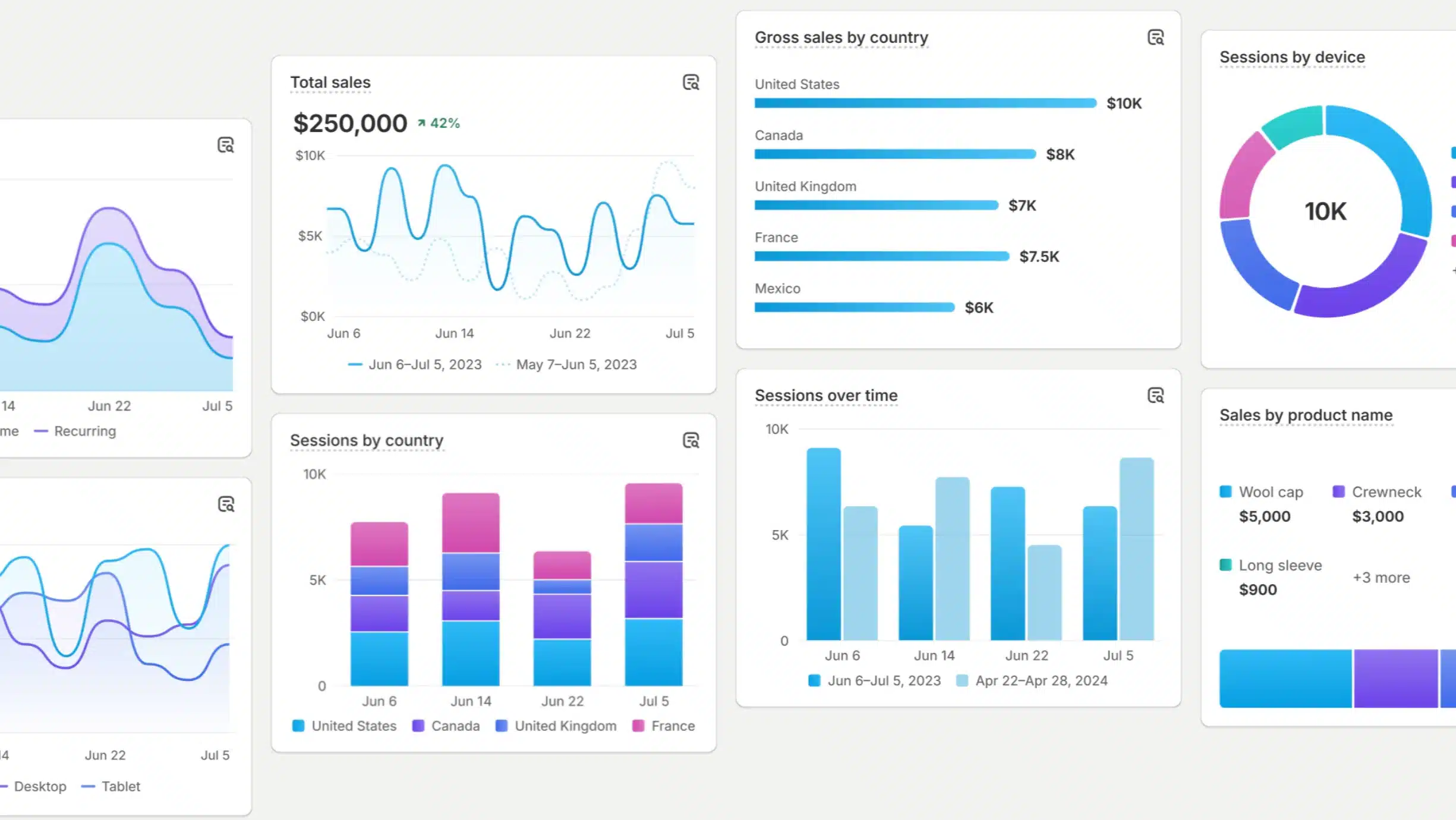
Newer analytics features include daily insights, metric targets, expanded visualization options, and marketing reports that place metrics such as spend, ROAS, impressions, sessions, and sales closer together.
That helps reduce one common problem with e-commerce reporting: having data spread across several places without enough context to understand what actually changed.
For example, a business might see that revenue increased.
That is useful.
But the next questions are:
- Which products drove the increase?
- Did traffic grow?
- Did conversion rate improve?
- Did marketing spend increase at the same time?
- Was the revenue coming from new or returning customers?
- Did a promotion affect margin?
Better dashboards cannot answer every business question automatically.
They can make it easier to identify the questions worth investigating.
Not Every New Shopify Feature Needs to Be Turned On
Shopify’s pace of development can make it tempting to activate every new tool as soon as it appears.
That is usually unnecessary.
A small store selling exclusively online may have little reason to care about B2B features.
A company with a stable storefront may not need to rebuild its theme in Canvas.
A merchant already running sophisticated advertising through an agency may have limited use for Campaign Autopilot.
The right question is not:
What did Shopify release?
It is:
Which of these features solves a problem we actually have?
Start with the areas that create friction in your business.
If store maintenance takes too much time, explore Sidekick and Canvas.
If you are expanding into wholesale, review the newer B2B tools.
If major website changes rely too heavily on guesswork, look at Rollouts.
If customers are discovering products through AI tools, improve the information in your catalog.
If your reports are difficult to interpret, spend time with the newer analytics features.
Technology is useful when it makes the business easier to run or the customer experience better.
Shopify Is Becoming More Connected
The most important Shopify update is not one individual feature.
It is how the pieces increasingly work together.
Sidekick can interact with store information and supported apps.
Canvas connects AI with storefront design.
Rollouts connects changes with testing.
Shopify Catalog connects product information with emerging AI shopping channels.
Marketing, analytics, customer accounts, B2B, and Markets are becoming more deeply integrated into the same platform.
For growing businesses, that can reduce the number of disconnected systems required to run an online store.
But Shopify still needs to be configured around the way your business actually works.
A feature is only useful when it supports the customer experience, operations, and goals behind the store.