How to Design a Multilingual Website That Actually Works
How to Design a Multilingual Website That Actually Works
A multilingual website needs more than translated pages and a language switcher. From URL structure and accessible navigation to SEO, forms, and ongoing content updates, learn how to build an experience that works for customers in every language you support.


If your business serves customers in more than one language, a language switcher and a few translated pages are not enough. A multilingual website needs a content structure you can maintain, navigation that lets visitors choose their language, and forms and follow-up messages that work after someone clicks “Contact.”
The best approach is to plan the full customer journey before translating the site. Decide which pages each audience needs, how language versions will connect, what should be adapted rather than translated literally, and who will keep the content accurate. Otherwise, a second language can quickly become a second website nobody has time to maintain.
Multilingual Website Design Is a User Experience Decision
A multilingual website offers meaningful content and functionality in more than one language. That does not necessarily mean every article must exist in every language, or that every visitor needs a separate website. It means the pages available in each language should help the intended audience understand the business and complete relevant tasks.
For a local service company serving English- and Spanish-speaking customers, the important pages might be services, service areas, contact information, and appointment details. A manufacturer selling in several countries may also need region-specific product information, shipping terms, and support resources. The right scope depends on what customers need, not on how impressive a menu of flags might look.
Language is one part of a website that works. Navigation, speed, trust, and a usable next step still matter. The broader principles in what makes a website actually work apply to every language version.
Decide Which Content Needs a Language Version
The original planning question is not “How many pages can we translate?” It is “Which tasks must customers be able to complete in this language?”
Start with the main service or product pages, essential FAQs, location information, policies, and contact options. Then inventory the less obvious content: blog posts, testimonials, staff profiles, event listings, case studies, downloads, and confirmation messages. On WordPress, these may be separate post types or content fields, so a multilingual plan needs to account for more than ordinary pages.
For each type of content, decide whether it should have:
- A corresponding version: The same core information is needed in each language, such as a service description or appointment instructions.
- A language-specific version: Different examples or information better serve one audience, such as a resource addressing a particular customer question.
- No translated version yet: The content is lower priority, with no meaningful demand or capacity to maintain it.
Be transparent when something is not available in another language. A half-translated website that promises Spanish support and then sends visitors to an English-only application can create more friction than a modest, clearly scoped bilingual site.
Choose a URL Structure You Can Maintain
It is easy to spend too much time debating folders, subdomains, and plugins before answering a more useful question: can your team manage the structure six months after launch? A multilingual website creates additional pages, links, and updates. The URL setup should make that work manageable, not turn every content change into a technical project.
Google’s multilingual site guidance recommends separate URLs for language versions instead of changing the language on the same URL based only on browser settings. A common WordPress approach uses folders such as example.com/en/ and example.com/es/. Subdomains and other structures can work too. Folders are often easier to manage under one domain, but they do not come with a special ranking bonus. And adding /es/ to a URL does not make the content Spanish in Google’s eyes.
Before buying a multilingual plugin or committing to an architecture, check what it does with your actual website: page-builder templates, menus, SEO metadata, forms, custom fields, and other content types. A system that handles the homepage but breaks an appointment form is not a solution. It is a second problem with a language switcher attached.
Make Switching Languages Simple and Predictable
A language switcher has one job: help people continue what they were doing in the language they prefer. If someone is reading a service page, clicks Español, and lands on an unrelated homepage, the switcher has created another obstacle. That is a small design decision with a very real cost when the visitor was ready to contact you.
Use visible language names such as English and Español. Flags identify countries, not languages, and they make a poor substitute for clear labels. When an equivalent page exists, link directly to it. When it does not, make the available options clear instead of pretending a translated page is there.
Let visitors choose their language rather than treating their location or browser setting as an instruction. A customer in Kentucky may prefer Spanish; a customer abroad may prefer English. Preserve their selection when practical, and make sure each version remains accessible through normal links. The point is to reduce decisions for the visitor, not make the website decide on their behalf.
Design for Text Expansion, Mobile Screens, and Accessibility
A design that looks perfect in English is not automatically ready for another language. Translated navigation, buttons, and form labels can be longer. If the layout only works when every phrase fits into a carefully measured space, the problem is the layout, not the translation.
W3C’s guidance on text expansion recommends flexible layouts that can accommodate different lengths. Test real translated content on phones and desktops. Check menus, buttons, product cards, errors, and checkout steps. Do not solve overflowing text by making it too small to read. If your audience uses a right-to-left language, that requires appropriate layout and reading-direction support, not just a new font.
Accessibility also has to work in each language. The W3C’s guidance on the language of a page explains why HTML lang matters for assistive technology, including screen-reader pronunciation. Test keyboard navigation, labels, and error messages in every supported language. An attractive translated page is of little use if someone cannot finish the form.
Keep Forms, Checkout, and Follow-Up in the Same Language
This is where otherwise polished bilingual websites frequently fall apart. The landing page is translated, but the contact form displays English validation errors. The booking confirmation arrives in English. Or the support team cannot follow through in the language the page promised.
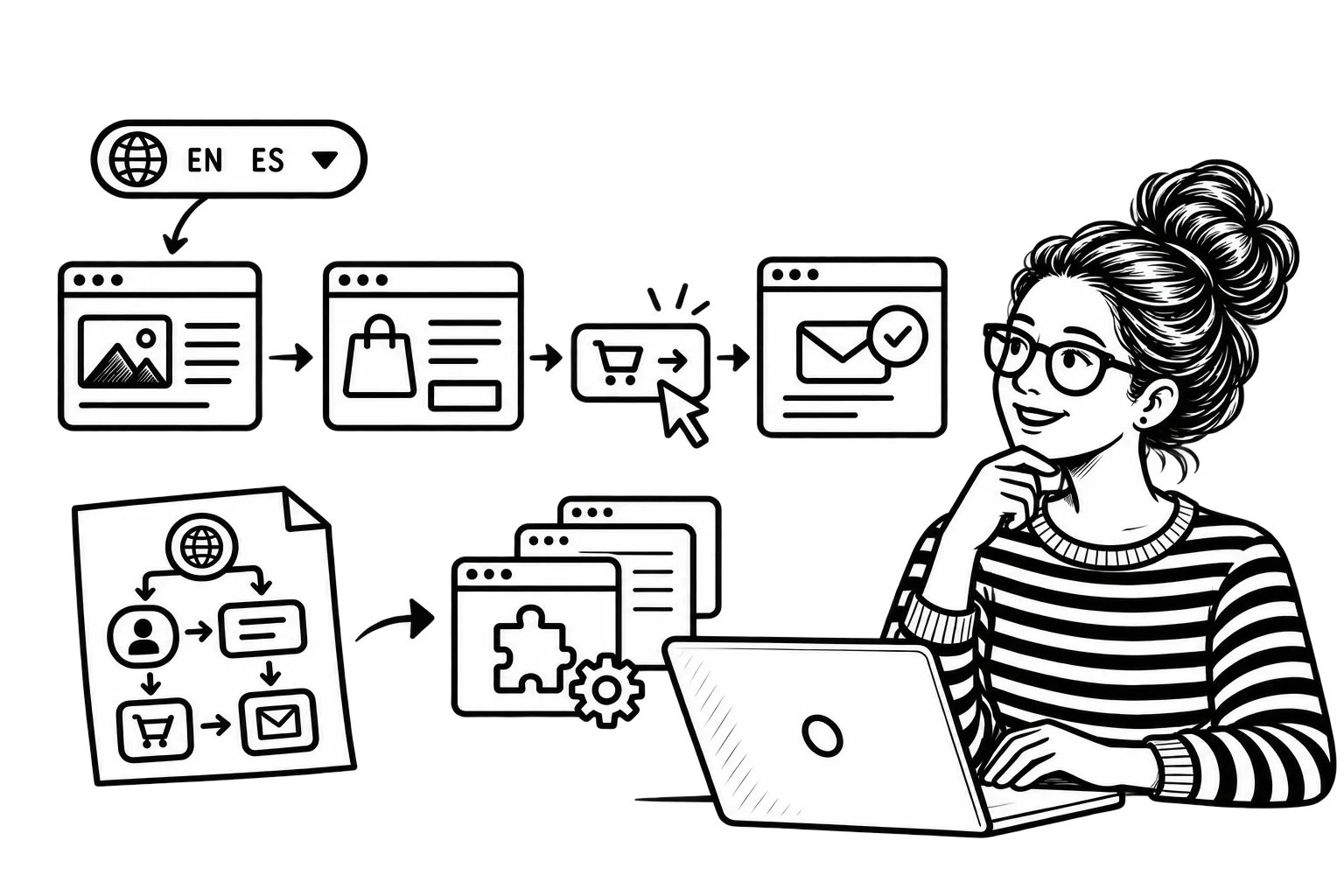
Test the complete path for each priority audience:
- Open a page from search or a shared link.
- Find the relevant service, product, or answer.
- Complete the form, booking, or purchase.
- Read the confirmation and any essential next-step instructions.
- Reach support if something goes wrong.
Make sure translated CTAs match the action available. If appointments can only be booked in English, that limitation should be clear rather than discovered after a customer has already entered their details. A multilingual website should not make promises the business cannot support operationally.
Translate Information Accurately and Adapt Persuasive Messaging
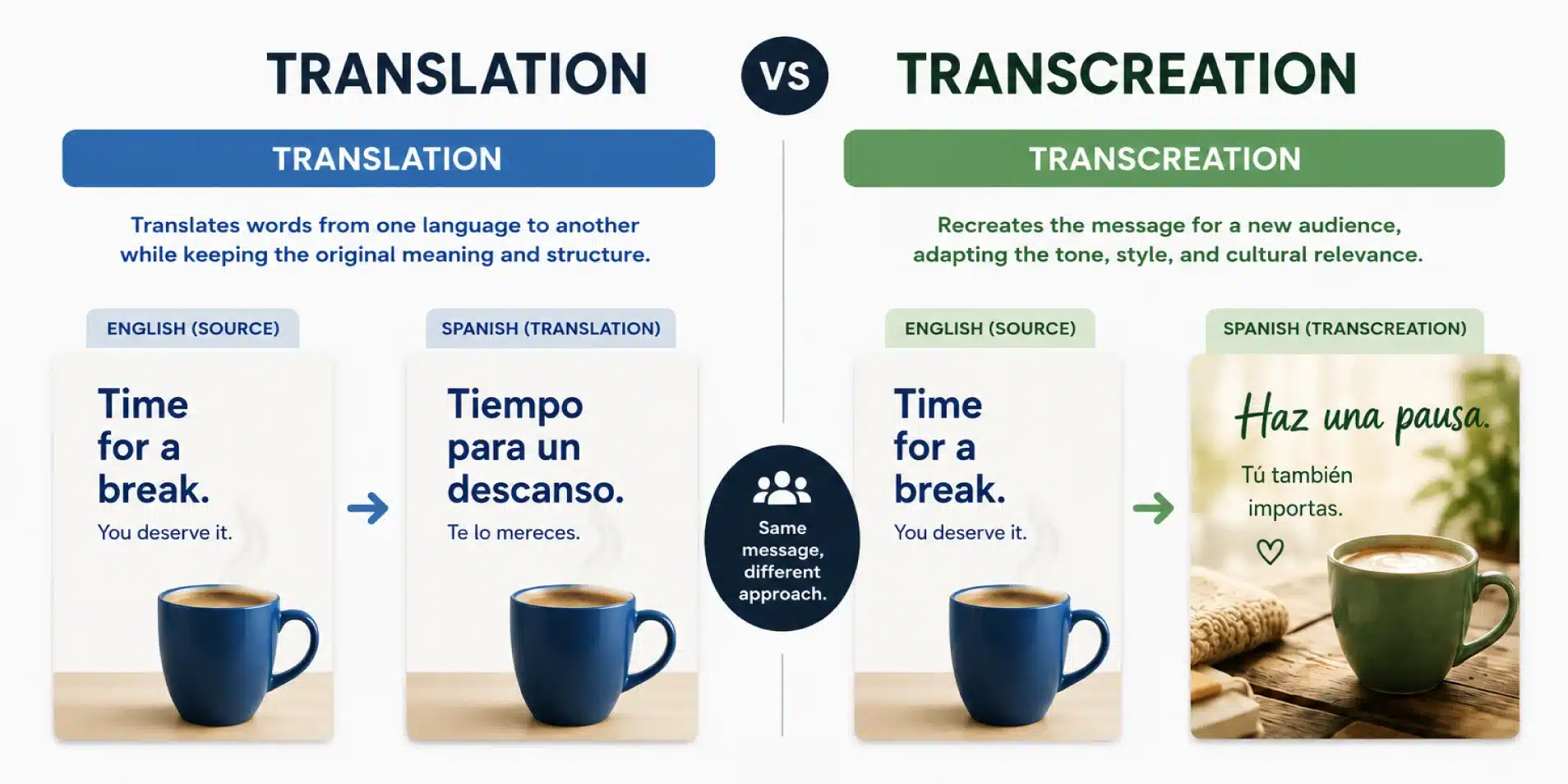
Not everything on a website needs the same kind of translation. A return policy or technical specification needs accuracy above all else. A headline asking someone to trust your business may need different wording to communicate the same idea naturally. Treating both as a copy-and-paste translation task is convenient, but convenience is not the same as communication.
That is the distinction between translation and transcreation. Automated tools can help prepare drafts, but someone qualified still needs to review consequential information and customer-facing promises. A grammatically correct sentence can still use the wrong terminology, sound unnatural, or misrepresent the service.
Nor is there one universal version of Spanish that will make every audience respond the same way. Learn how your customers describe their needs, which terminology they understand, and which questions they ask before deciding how to adapt the message. The objective is not to demonstrate that the business can publish in another language. It is to make the information useful to the person reading it.
Connect Equivalent Pages for Search Engines
Technical SEO matters, but it comes after a more basic requirement: each language version needs to be a useful page in its own right. Search engines cannot turn a rushed translation, an incomplete service description, or a broken contact process into a good customer experience.
When pages are equivalent versions of the same content, use hreflang annotations to help Google understand the language alternatives. Google’s instructions for localized page versions explain how those references should include the page itself and point back to the corresponding versions. Do not label unrelated pages as equivalents simply because both are in the navigation.
Keep each version crawlable, with appropriate titles, descriptions, and internal links. Search habits are not necessarily identical across languages, so copying the English keyword plan into Spanish is not a research strategy. Our guide to SEO in Spanish for bilingual audiences explains that distinction.
Also keep two technical concepts separate: hreflang helps Google identify related language versions, while HTML lang helps browsers and assistive technologies interpret the language on a page. Neither replaces content that answers the customer’s question. Installing the correct tags is important; mistaking them for the entire strategy is not.
Give Multilingual Content an Owner After Launch
The biggest long-term risk is not the initial translation bill. It is content drifting out of sync. A business changes pricing, adds a service, updates a policy, or changes the contact process on the English site, while the Spanish page quietly keeps publishing the old details.
Create a simple maintenance workflow with an owner for each step: identify changed content, determine which language versions are affected, translate or adapt what needs updating, review it, publish it, and test the affected links and forms. Not every blog update requires simultaneous publication everywhere, but essential service information should remain accurate.
When evaluating a development partner, ask how translations, custom post types, language switchers, forms, and updates will be handled after launch. Those operational questions matter just as much as visual design. Our guide to choosing a web design agency offers a broader framework for that conversation.
Start With One Complete Customer Journey
You do not have to translate your entire content archive before launching a useful multilingual experience. Start with one audience, the pages they need most, and the actions you can actually support in their language. Build a workable structure, test the journey on mobile, and establish an update process before expanding.
A smaller website that works from first click to confirmation is more useful than a large collection of translated pages that leave customers stranded halfway through. The goal is not simply to offer more languages. It is to make the website genuinely usable in the languages you choose to support.